How to Use OOPbuy — 8 Steps
A complete walkthrough of buying through OOPbuy — from selecting a product on Taobao or 1688, to receiving your international parcel. Each step is what actually happens; tips highlight common questions.
-
Submit the Order
OOPbuy can capture most product information from Taobao / Tmall / 1688 / Weidian automatically. On the loaded product page:
- Pick the exact variant (color, size, spec).
- Set quantity.
- Click Add to Cart (to consolidate later) or Buy Now (to pay immediately).
If you want to consolidate multiple items into one order, check them in the cart and click Check Out.
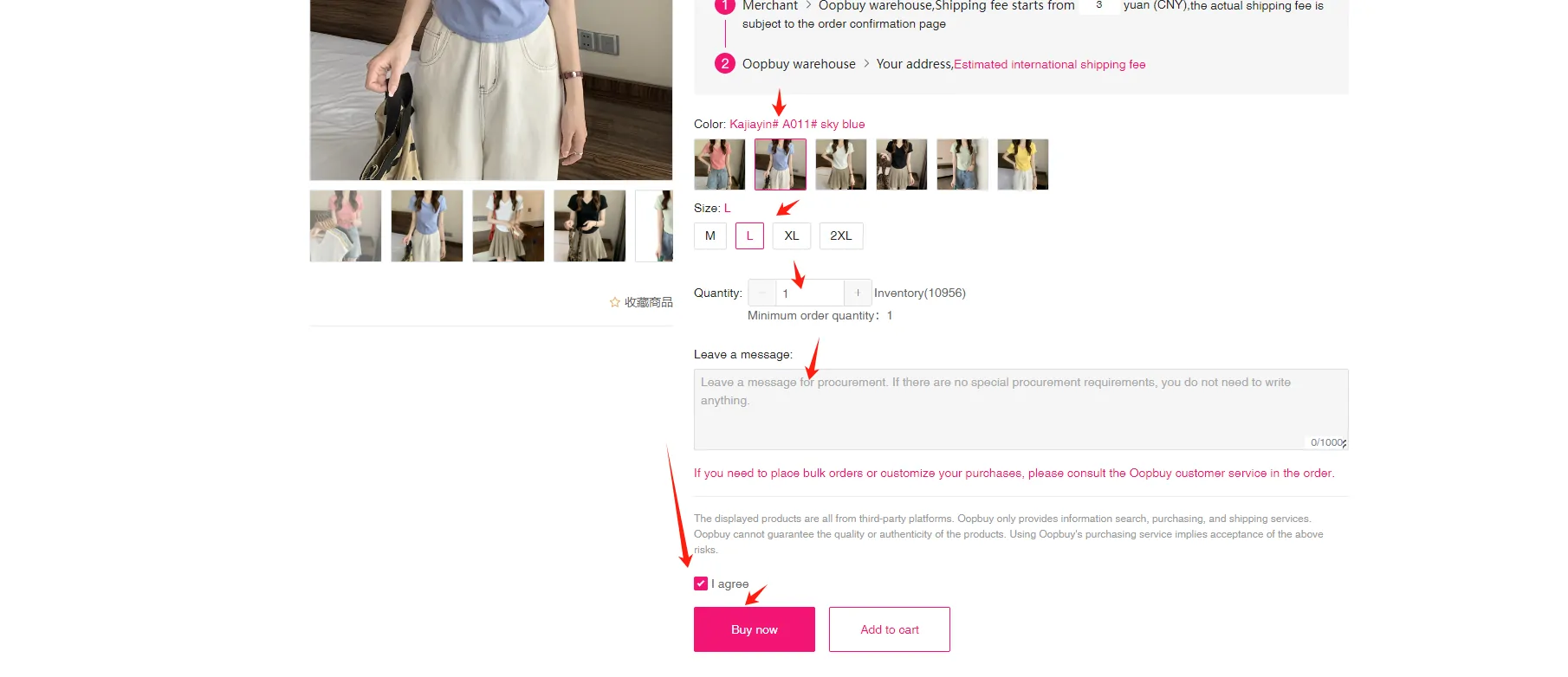
On the loaded product page, pick the exact variant — colour, size and quantity — then add it to your cart or buy it now. -
Pay the Product Fee
Choose a payment method and pay product price + Chinese domestic shipping (seller → OOPbuy warehouse).
- Multi-currency payments supported (USD / EUR / GBP / CNY etc.).
- Methods: credit card, PayPal, OOPbuy balance.
- Enter your destination country/region and any order notes before paying.
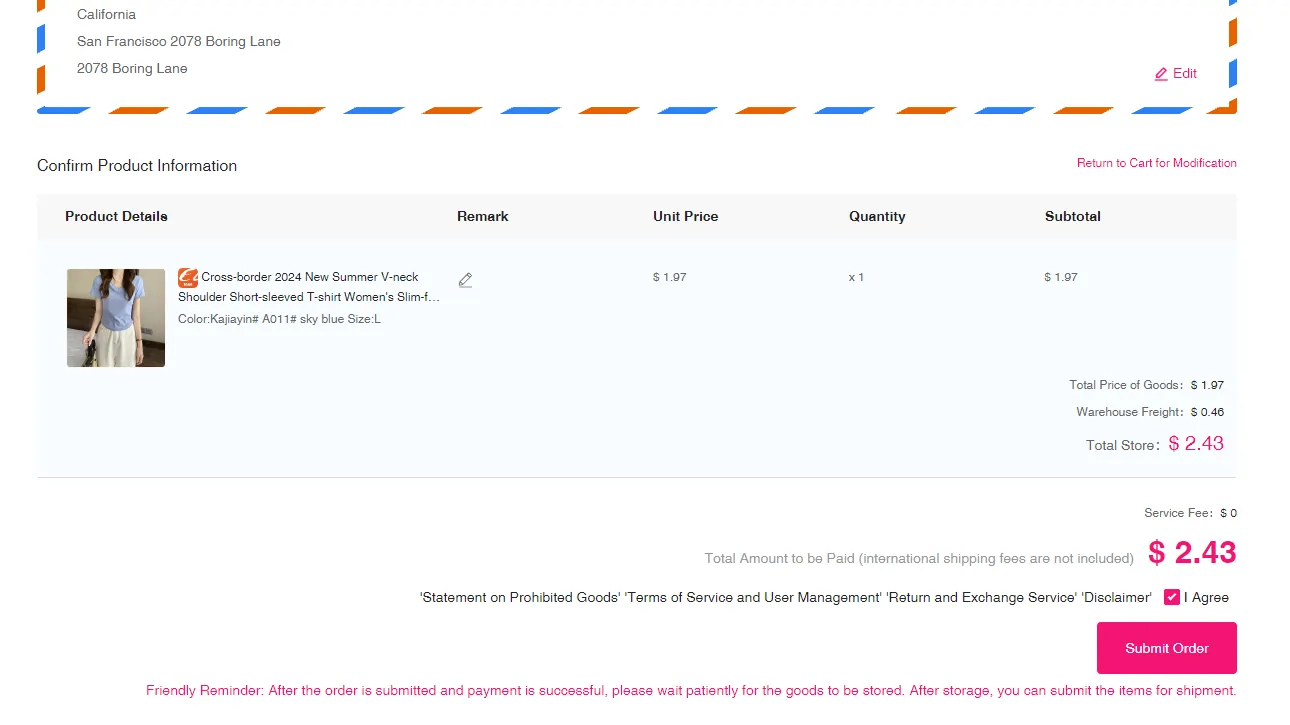
Set your destination and personal details, confirm the items, then pay the product price plus Chinese domestic shipping. 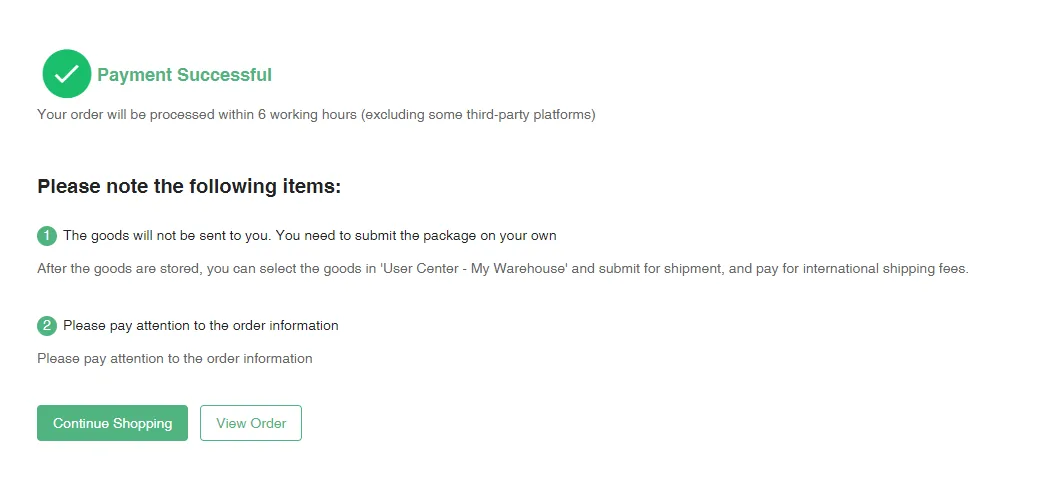
After a successful payment, click View Order to follow it in your account — or keep shopping and consolidate later. Note Service fees may apply for value-added options (rehearsal, fine photos, custom packaging). All fees are shown before you confirm payment. -
Quality Inspection & Storage
Once goods arrive at the warehouse (Xiamen, Fujian), OOPbuy:
- Receives, weighs, and photographs each item.
- Posts QC photos to your account — you review under User Center → Warehouse.
- Stores accepted items for up to 90 days free; you can extend if needed.
Domestic transit times to the OOPbuy warehouse:
- Pearl River Delta sellers — 1–2 working days.
- Other provinces — 3–5 working days.
- Remote regions — ~7 working days.
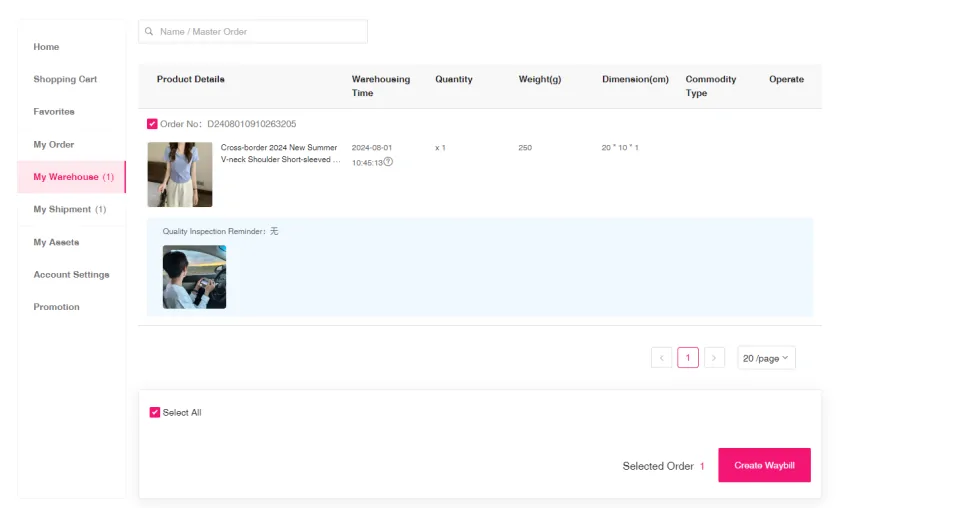
In My Warehouse each stored item shows its QC status, weight and warehousing time, ready to bundle into a parcel. Tip Stockpile multiple orders before shipping — consolidating into one parcel saves significantly on international shipping. -
Submit a Parcel
Open Warehouse in your account, tick the items you want shipped, and click Create Waybill (this is what "submitting a parcel" means — OOPbuy's button wording is Create Waybill → Submit Waybill). Then:
- Confirm or update the recipient address.
- Pick the recommended shipping route or pick another from the list.
- Choose value-added services if needed (remove shoe boxes, bubble wrap, custom packaging).
- Optionally run Parcel Rehearsal for a tighter cost estimate.
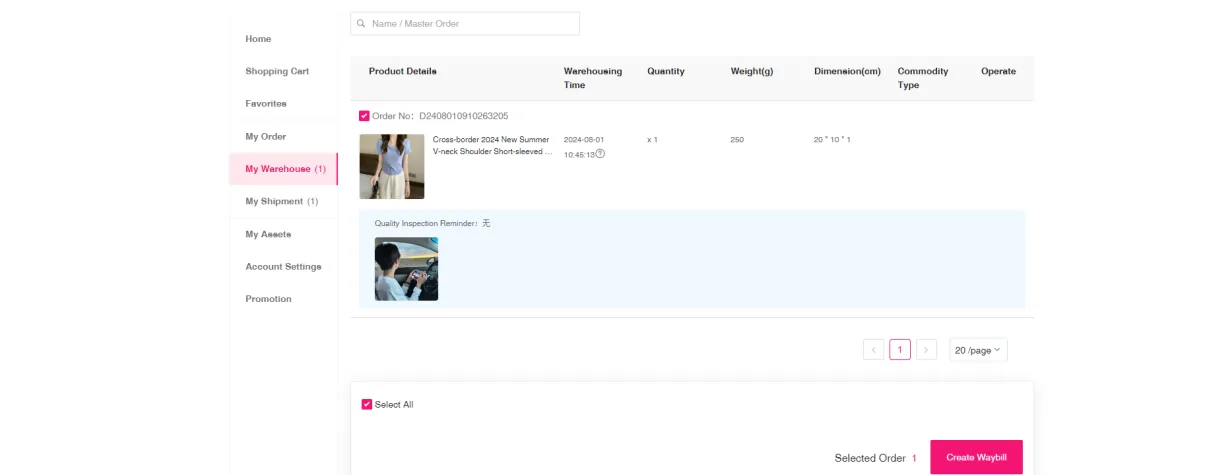
Tick the stored items you want in one box, then click Create Waybill. 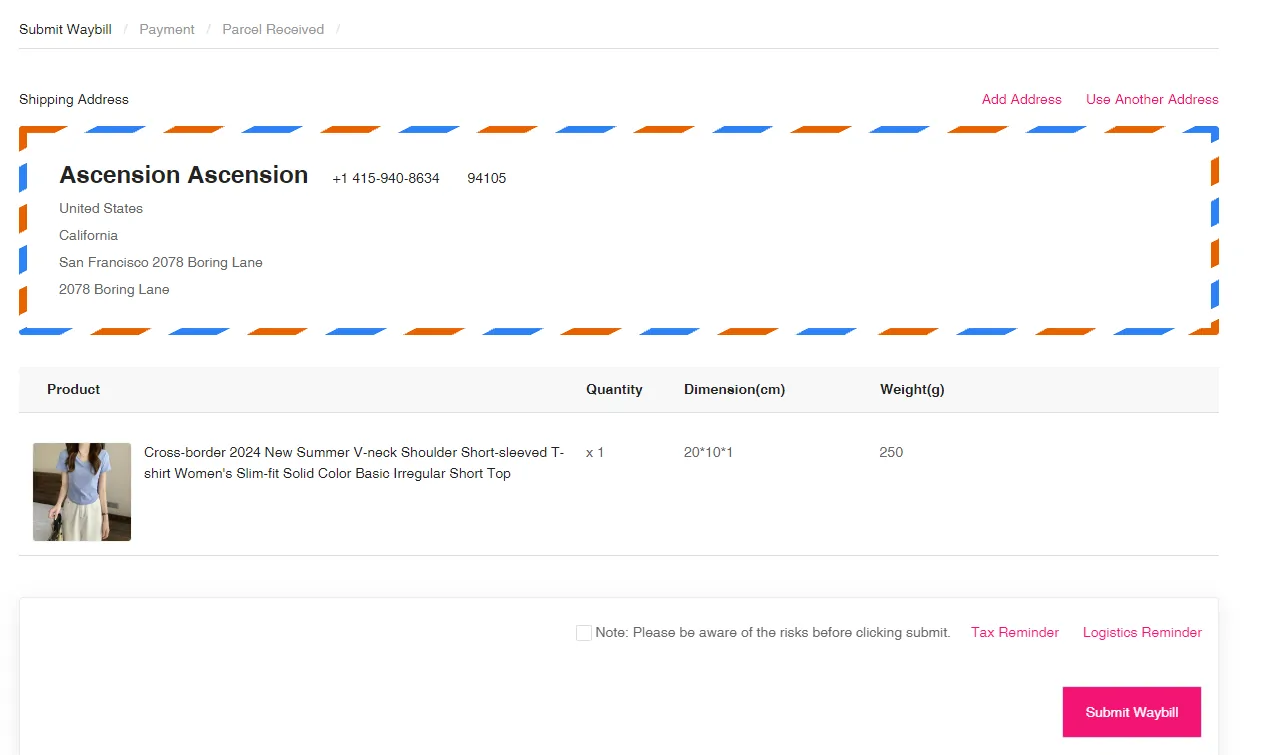
Confirm the shipping address and the items going into the parcel, then submit it for packing and a final freight quote. Note Some items have shipping restrictions (sensitive products, large dimensions). The system filters available routes based on your selection. -
Pay International Shipping
OOPbuy packs and weighs the parcel, then quotes final international shipping. The quote includes:
- Customs clearance fees.
- Handling and value-added service fees.
- The shipping rate (by country, line, and billed weight).
Pay to release the parcel.
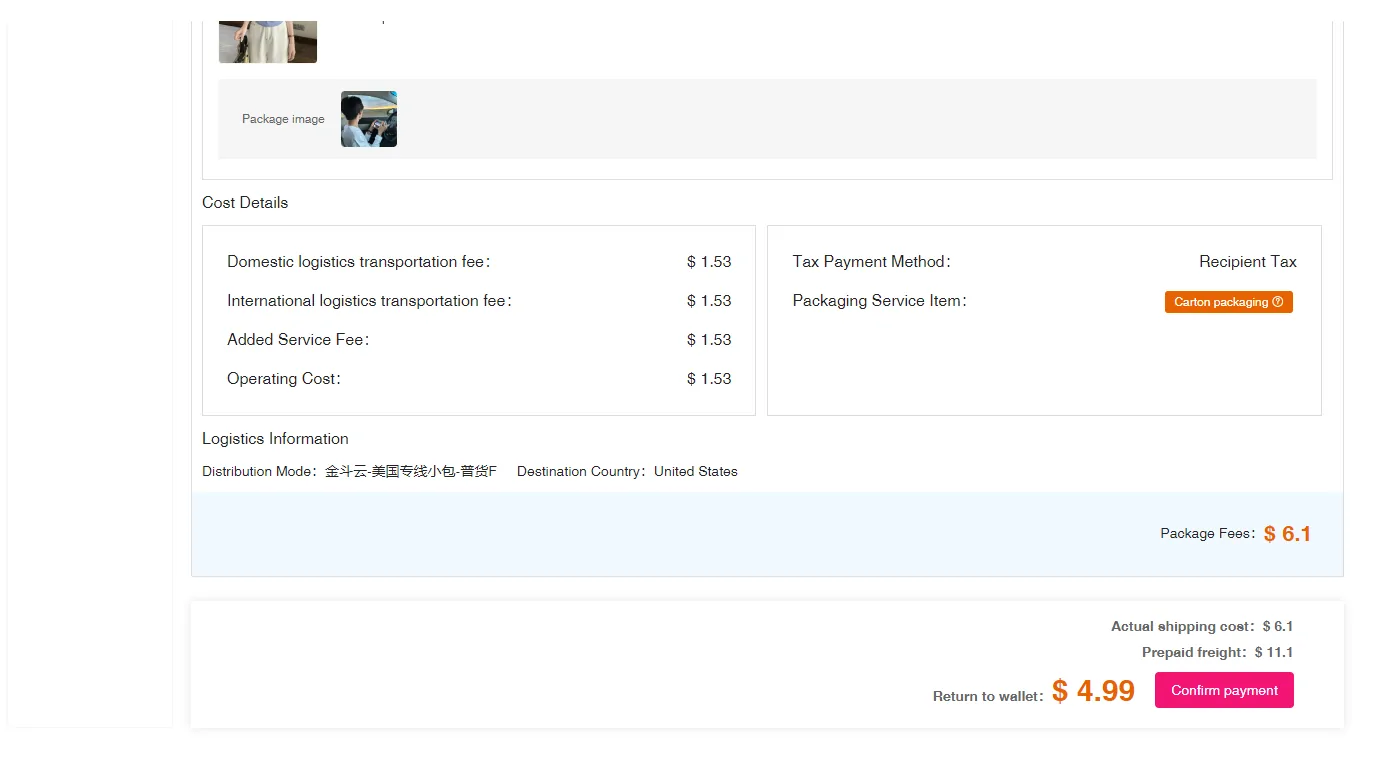
Once the parcel is weighed, the freight cost appears — review the line and weight, then confirm and pay. Tip Final shipping is calculated on the carrier's measured weight + dimensions. If actual cost is lower than what you paid, the difference refunds to your OOPbuy account after shipment. -
Sign for Receipt
Once handed to the carrier, your parcel typically takes 7–18 days depending on country and route. Track in My Waybill → Waybill Details.
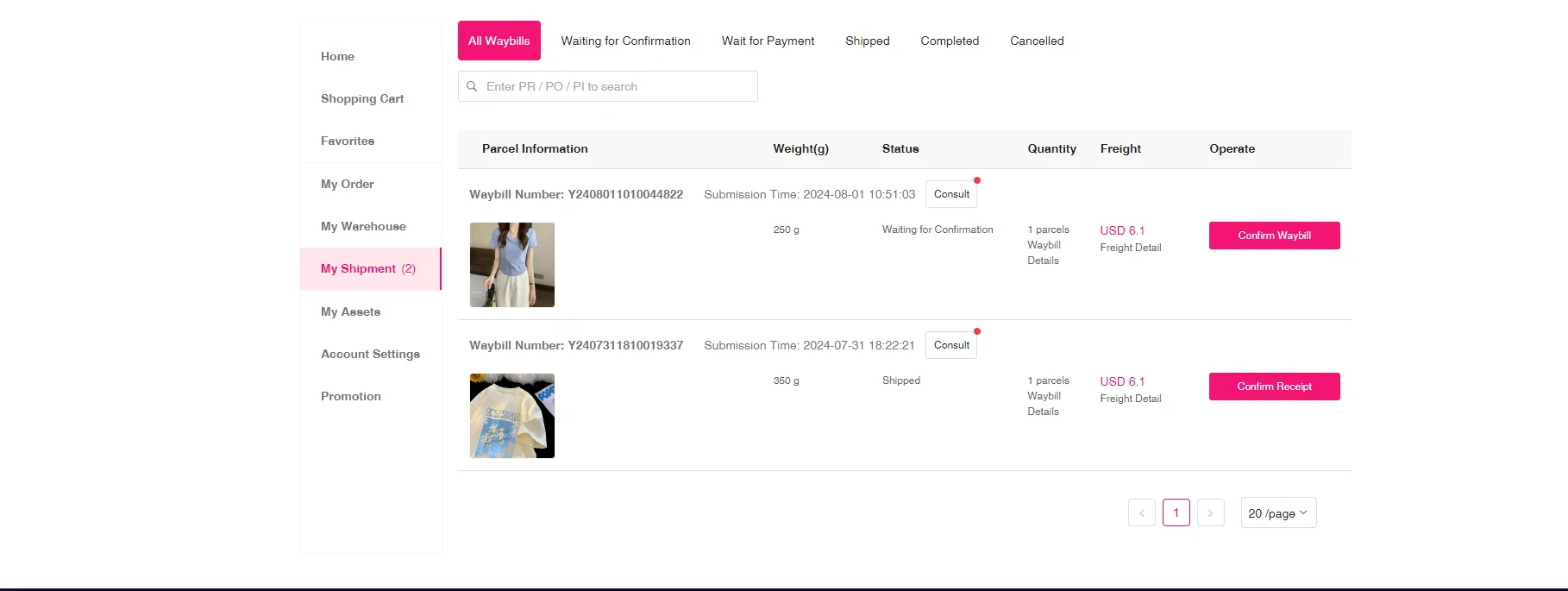
My Shipment lists every waybill with its status, weight and freight — follow it here until it is delivered. On delivery:
- Inspect outer packaging before signing — if damage is visible, take photos and refuse the delivery.
- Open within 2 days; if damage or missing items, contact OOPbuy customer service to file a claim.
- For after-sales service, select the relevant parcel in My Waybill and click Apply for After-Sales.
Note Customs delays, taxation, and rare losses can occur during international transit — OOPbuy informs you of route-specific risks before you confirm the parcel.