What the Spreadsheet Is For
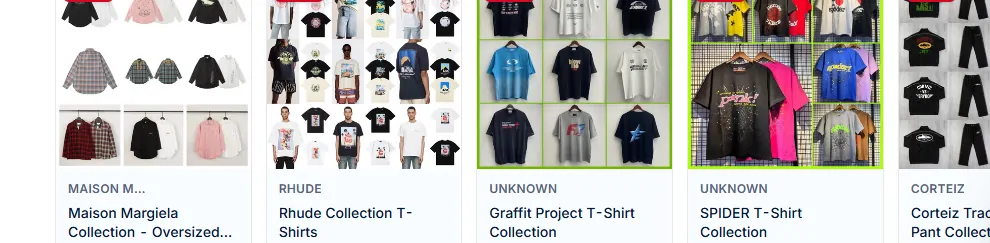
If you've ever opened Taobao, you know the problem: millions of listings, mostly in Chinese, with no clear category tree for international buyers. The Spreadsheet solves this by curating listings into English-labeled buckets — so you can browse "Shoes" or "Hoodies" without reading Chinese.
Important: the Spreadsheet doesn't sell anything. It's a directory. You see item previews, click through, and complete the purchase on the OOPbuy main site.

Why Category Browsing Helps
Three practical reasons:
- Faster discovery. Category entries cluster similar sellers — fewer random clicks.
- Curation filter. Spreadsheet entries skew toward sellers with decent reviews and consistent quality.
- Language bridge. English labels let you jump into Chinese product pages with context.
How to Move From a Spreadsheet Entry to the Main Site
Three ways:
- Click the listing link. Most entries link directly to the Chinese product page. Copy that URL, paste it into OOPbuy's "Submit Link" form.
- Use the "Buy" button (when present). Some entries have a pre-wired button that opens OOPbuy's order form with the product already loaded.
- Search variant. If the specific item is sold out, use the Spreadsheet category to find a similar seller and repeat the flow.
Common Misunderstandings
- "The Spreadsheet's prices are final." — No. Prices shift on the original seller's page. Always confirm on the product page before paying.
- "Spreadsheet listings are OOPbuy's own." — No. Listings belong to Chinese sellers; OOPbuy is the agent.
- "I can order directly from the Spreadsheet." — No. The Spreadsheet is browse-only. Order happens on the main site.
Best First Steps for Beginners
- Pick a category you're curious about (e.g., Shoes).
- Open 3–5 items in new tabs. Read comments / product images.
- Pick one low-value item (under $30) to test the full OOPbuy flow.
- Place it, wait for QC, submit a small parcel, see what happens.
First-order friction is the biggest barrier. A small cheap order teaches you the system for almost no risk.
Frequently Asked Questions
Do I need to log in to see the Spreadsheet?
No. Browsing categories is public. Login is only required when you actually submit an order on the OOPbuy main site.
Is every item on the Spreadsheet good quality?
No. The Spreadsheet curates sellers by category, but individual product quality still varies. QC photos are your protection.
Can I add items to a cart on the Spreadsheet?
No. The Spreadsheet is browse-only. Cart / checkout happens inside your OOPbuy account after you submit links.
Why do Spreadsheet links sometimes lead to empty pages?
The seller delisted the item or it's out of stock. Check the same category for alternatives.