When QC Photos Appear
After an item arrives at OOPbuy's domestic warehouse, warehouse workers photograph it. You get a notification in your account; photos show up under the order detail page.
Timing: typically 1–3 days after warehouse arrival. Peak season (Double 11, Chinese New Year) may delay this.
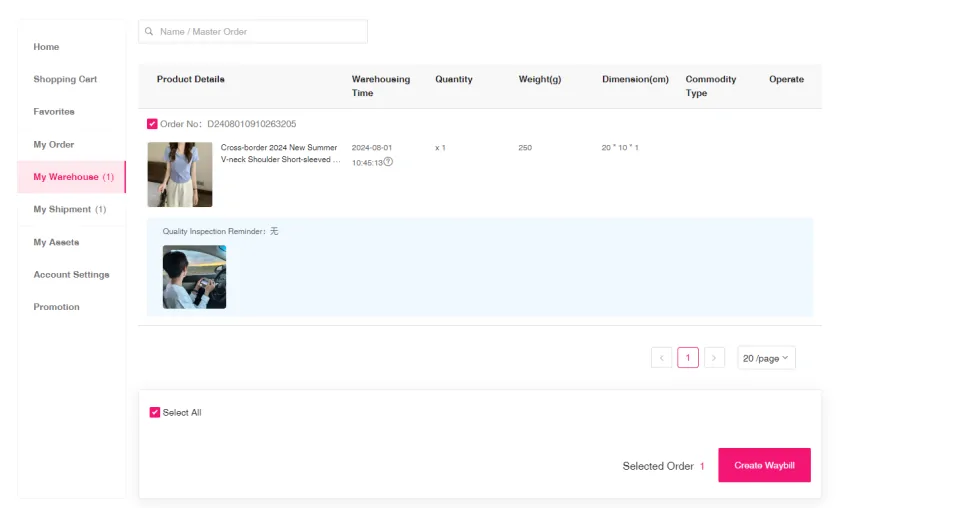
What to Inspect First
Priority order, by value:
- Size tags and markings. Confirm it's actually your ordered size. Sellers swap sizes more often than you'd think.
- Logos and branding. Font, placement, color. This is where replica quality varies most.
- Stitching. Look for loose threads, uneven rows, missed corners. Especially visible on shoes and bags.
- Construction and hardware. Zippers work? Soles aligned? Buckles match?
- Color against seller's product page. Don't compare against marketing photos — those are retouched.

Common Beginner Mistakes
- Skipping QC entirely. Auto-approving saves time but removes your protection.
- Only looking at hero photos. Defects are at edges, back, and inside. Look at every image.
- Accepting blurry QC photos. If the photo's too soft to see detail, request a re-shot.
- Rejecting without clear reason. "I don't like it" isn't actionable. Be specific: "logo is tilted 5 degrees left" or "stitching on right shoulder is uneven."
When to Request More Checking
- Specific angle not photographed (bottom of shoe, inside of bag).
- Wear test concern — for shoes, ask worker to flex the shoe and check glue.
- Weight verification — for heavy items, ask for a scale photo.
These are free. Just message in the order detail.
Pass / Reject Flow
Three buttons typically:
- Accept — item moves to storage, ready for parcel.
- Accept with note — you accept but add a comment (e.g., "pack carefully, seam is fragile").
- Reject — worker contacts seller for replacement or refund. 3–14 extra days.
Frequently Asked Questions
How many QC photos should I expect?
Typically 5–10 photos per item, covering front / back / sides / tag / key details. More for complex items (shoes, bags), fewer for simple items (t-shirts).
Can I request additional photos for free?
Yes. OOPbuy provides additional QC at no charge if you request specific angles.
What happens if I reject an item?
OOPbuy contacts the seller. Usually a replacement is shipped (adds 3–14 days). If the seller can't replace, you get a refund.
Can I reject after already accepting?
Generally no — accept is final. Inspect carefully before clicking.