What You Need Before Ordering
- OOPbuy account (logged in).
- Product URL from Taobao / 1688 / Weidian / Xianyu.
- Payment method with sufficient balance.
- A clear idea of variant (size, color, spec).
Link Submission
Paste the product URL into "Submit Link." OOPbuy fetches the seller's product page and loads it inside your account. You see price, variants, images, and seller info — the same data a Chinese buyer sees, just through OOPbuy's English wrapper.
If the URL doesn't resolve, check that it's the full product URL and not a shortened share link. Full URLs start with item.taobao.com, detail.1688.com, or similar.
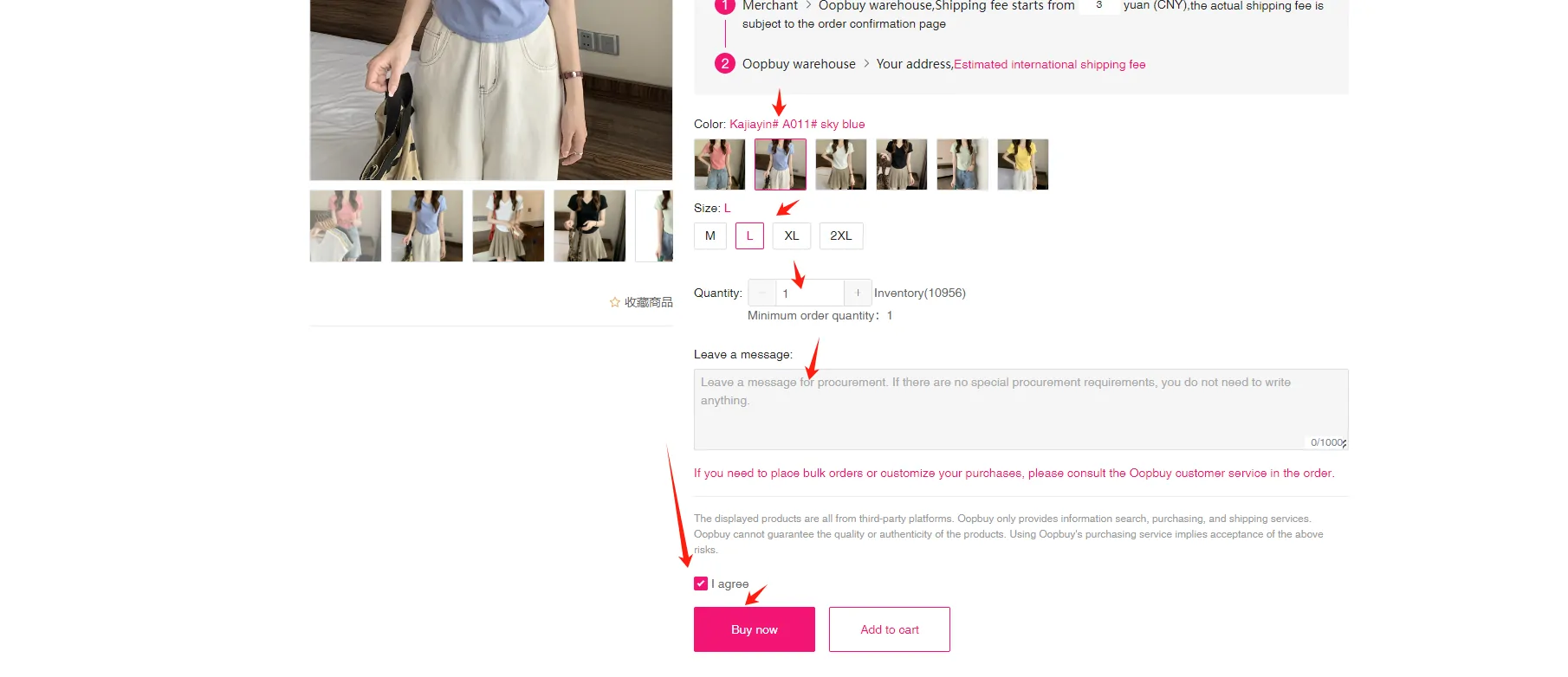
Product Notes and Options
The note field is where you communicate with the OOPbuy worker who places the order. Useful things to write:
- "Please confirm with seller before buying." — delays the order until the seller responds.
- "If out of stock, refund." — avoids substitutes.
- "Ask for factory seal / original packaging." — important for items where packaging matters.
- "Specific variant: [color X, size Y]." — redundant with variant selection but adds a safety net.
Payment and Confirmation
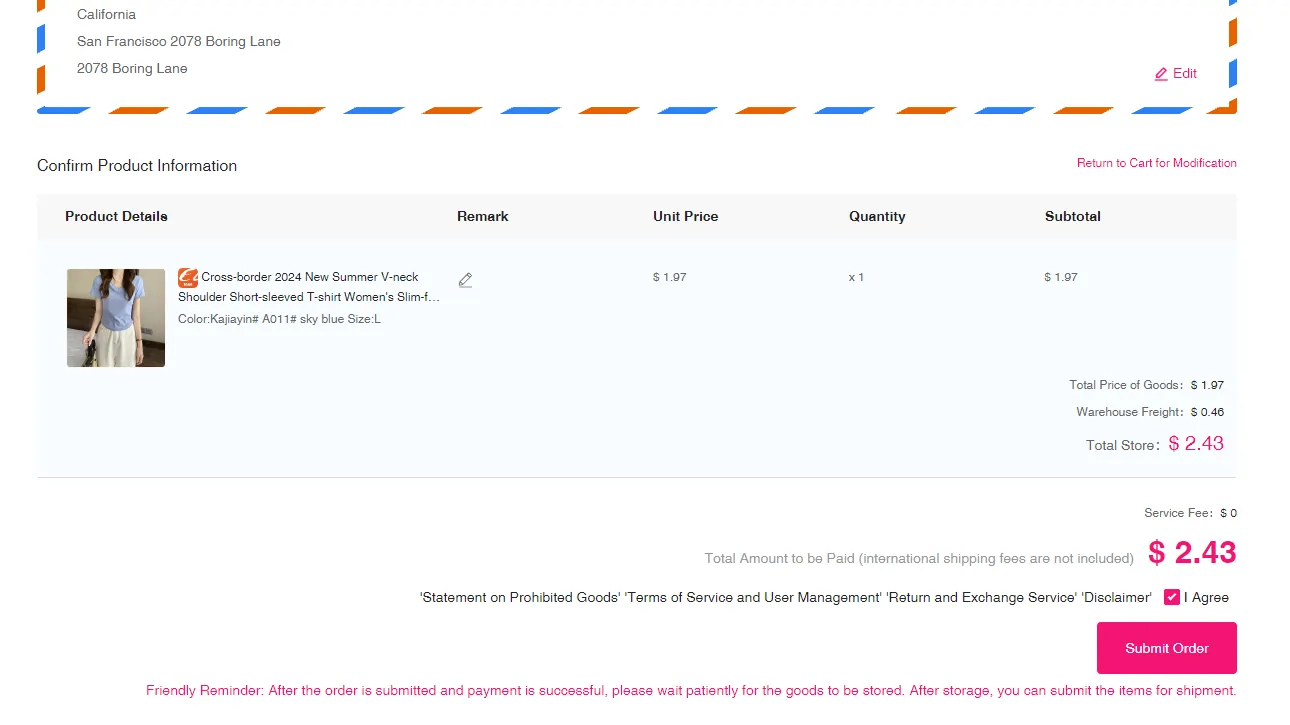
Once you confirm, OOPbuy charges:
- Product price (in CNY, converted to your currency).
- Domestic shipping (seller → OOPbuy warehouse, usually 5–20 CNY).
- Service fee (percentage of product or flat — check your account page for exact rate).
International shipping is not charged here. That comes later at parcel submission.
What Happens After Payment
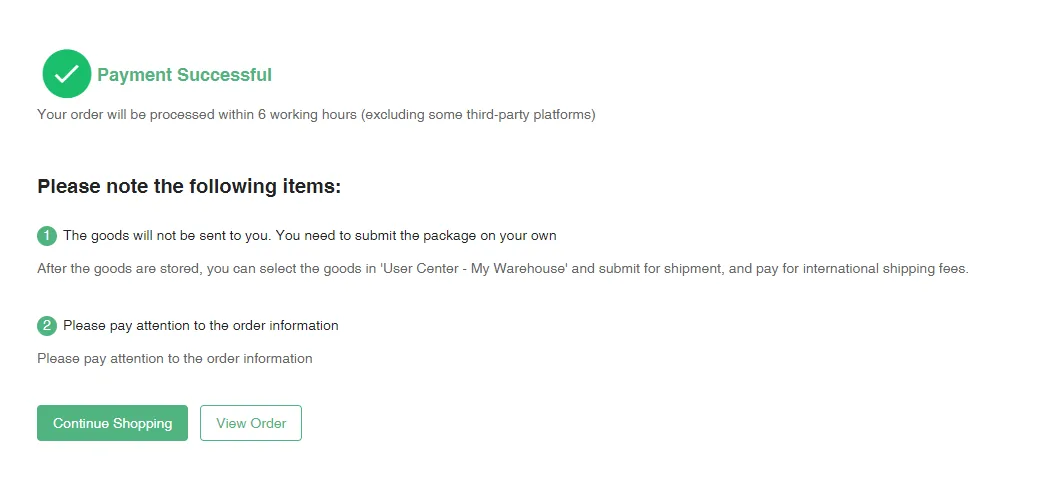
You'll first see a payment confirmation, then the order status progresses:
- Purchasing — OOPbuy is placing the order with the seller.
- Seller confirmed — seller accepted the order.
- Shipped by seller — item is on the way to OOPbuy's warehouse.
- Arrived at warehouse — item is in storage, QC photos being prepared.
- QC ready — you review and approve.
Notifications fire at each step.
Frequently Asked Questions
Can I add items to an existing order?
Each submission is a separate order. You can have many concurrent orders in your account and consolidate them into one parcel later.
What if the seller's price changes after I submit?
OOPbuy locks the price at checkout. If the price rises during OOPbuy's purchase process, they pause and message you.
Can I order a gift for someone else?
Yes. The parcel is tied to the shipping address you set, not to a specific recipient name. Adjust address at parcel submission.
How long is an order "held" if the seller doesn't ship?
OOPbuy typically waits 15–30 days. If the seller never ships, you get an automatic refund.